
How it works
- Prepare a scenario. Write what happens, shot by shot. We can help refine it.
- Prepare for the shoot. Scout locations, gather props, line up anyone on camera.
- Take the footage. Three routes below — your phone, your own kit, or a hired freelancer.
- Send it to us. We edit, colour grade and make the titles.
- Voiceover, if you want one. Find an artist online, send us the audio, and we integrate it.
Shooting with your phone
The cheapest route, and good enough more often than people expect. Five things to get right.
Focal length
Most phone cameras sit at 24-28mm or wider. We do not recommend wide angle for product work — it distorts perspective badly.
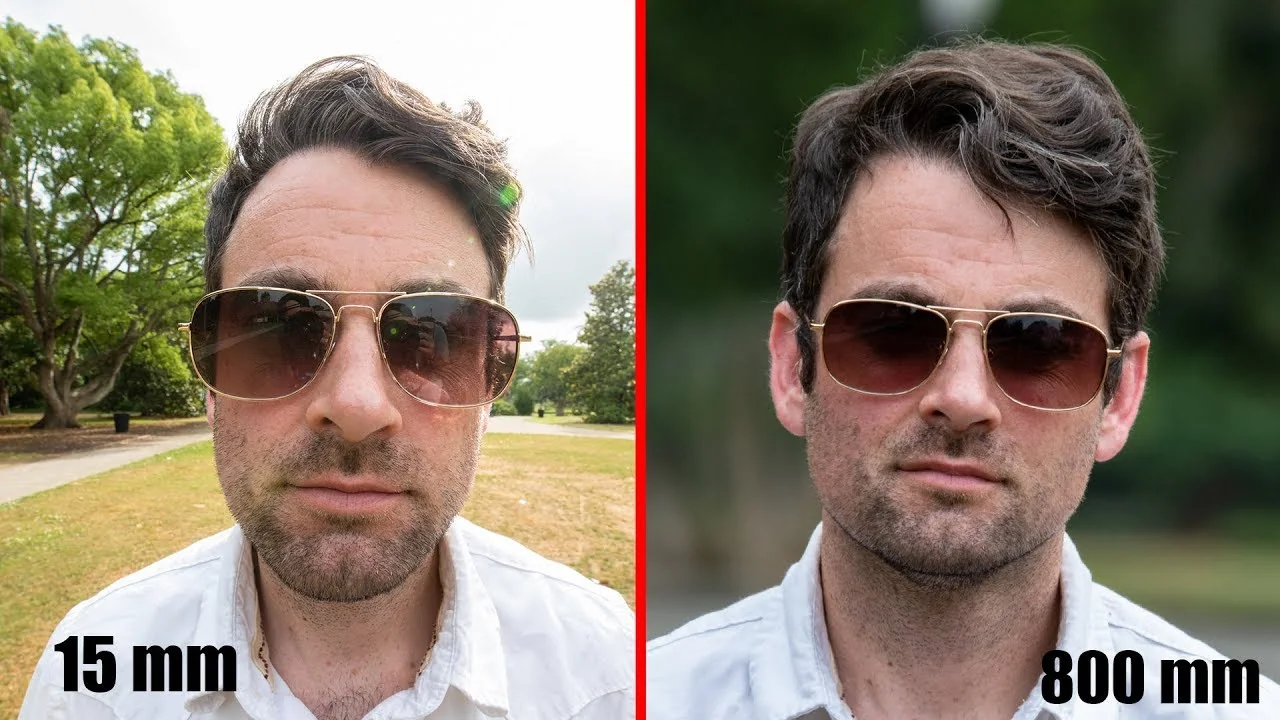
In the studio we use 85-200mm, which keeps lines parallel. On a phone, shooting in 2x or 3x portrait mode gets you an effective 50-85mm. The longer the lens, the further back you stand.
Camera settings
Shoot 4K where you can, so there is room to crop in post — though 1080p sometimes wins on bitrate. Turn off as much in-camera processing as the phone allows: sharpening, saturation boosts, beautifying filters. Portrait modes are usually more natural; landscape modes tend to oversharpen.
Stabilisation
Modern phones stabilise well, but a tripod is still worth it — it also slows you down and makes you plan the shot. If you intend to move with the camera, use an Osmo Mobile or equivalent.
Software
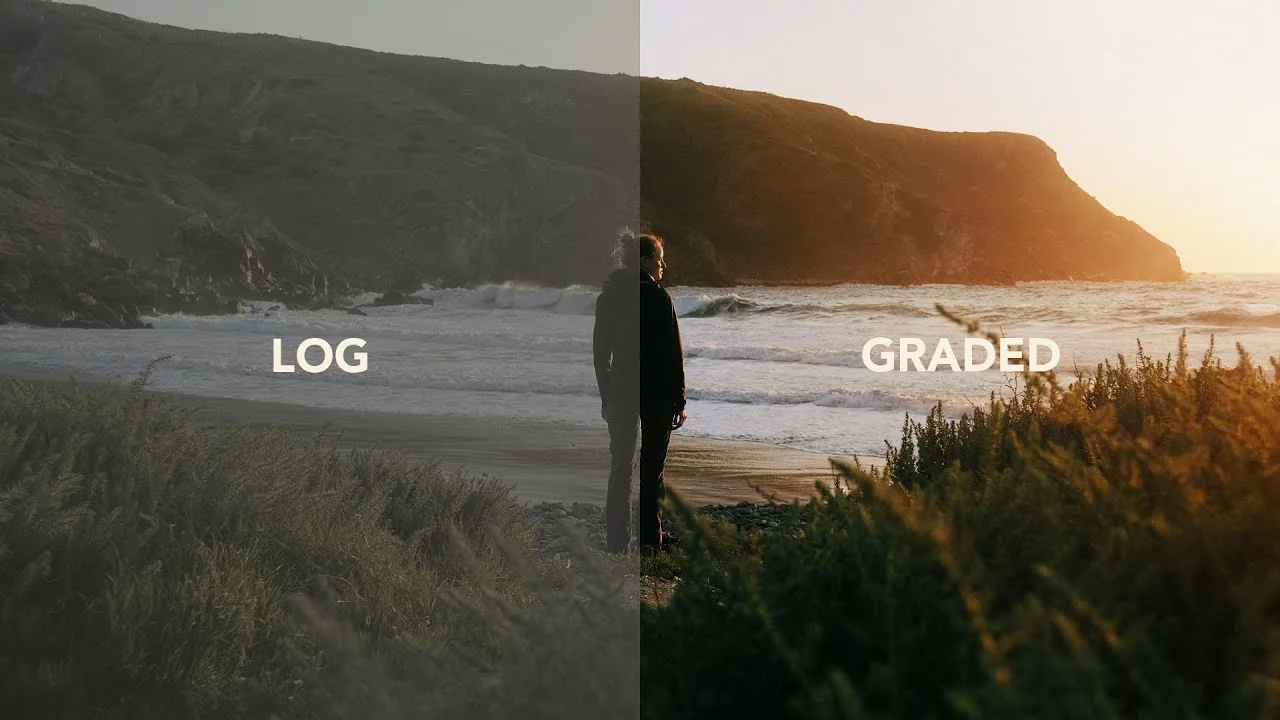
Footage straight off a phone is usually oversharpened, oversaturated, and low bitrate — with blown highlights and crushed shadows. Filmic Pro avoids most of that and runs on both Android and iOS:
- Higher bitrates, so compression artefacts do not eat detail.
- Control over gamma and contrast, so you can shoot a flat profile that keeps shadows and highlights for grading.
Editing
You can cut the whole thing on the phone. We recommend InShot for its feature range and price.
Quick summary
- Use portrait mode where you can.
- Shoot 4K if possible.
- Stabilise — a tripod, or an Osmo Mobile if you are moving.
- Use Filmic Pro or similar for bitrate, resolution and a flat profile.
- Use InShot or similar to edit on the phone.
Buying your own equipment
Worth it if you expect to shoot regularly and someone on the team has videography experience, or wants to learn.
Camera
Sony A7 / A7s mirrorless. Good professional feature set, strong low-light performance, in-body stabilisation, and a huge lens ecosystem — including modestly priced vintage manual glass (Canon FD, Nikon, Olympus).
Lenses
- Wide angle for landscapes and establishing shots. Sigma is excellent on Sony; Samyang / Rokinon is the budget choice.
- Fast 35-50mm for medium shots and portraits. Old manual Canon FD 50mm f1.4 and 35mm f2.0, or Nikkor Ai-S.
- Telephoto — Sony 70-200 f4, or Tamron and Sigma for less.
- Macro for close-ups. Sony 100mm f2.8 performs well; macro rings are far cheaper.
On a budget, one 24-70mm zoom covers most of it — Tamron's 28-75 f2.8 is well priced and performs.
Tripods and sliders
A tripod is the foundation of all video work and worth the investment. A slider makes a shot look dynamic and professional — we use Rhino, but there are plenty of budget options now.
Sound
We use Sennheiser wireless mics, but any budget lavalier will do for interviews. If sound matters to you and there is budget, a Zoom H4n is worth it.
Lights
We use cheap customised LED panels that give a warm, high-quality light. You will want both warm and cold: warm flatters skin, cold reads as daylight.
Software
On Mac, DaVinci Resolve or Final Cut. On Windows, Premiere Pro.
Hiring a freelancer
Hire someone local with their own kit and give them your script. Done properly this is affordable — you pay only for shooting hours, and we do the post. Assuming they are a professional, you get properly exposed footage in a flat log profile from a good camera.
Whichever route you take, send us the footage — editing, colour grading and titles are ours.